PRODUCT TOUR / RAKT
See the screens.
Follow the work.
Explore real RAKT screens with fictional hospital data: patient records, consultations, lab work, pharmacy and billing. Then try the app yourself.
ACTUAL APP / FICTIONAL HOSPITAL
Pick a department. Inspect the screen.
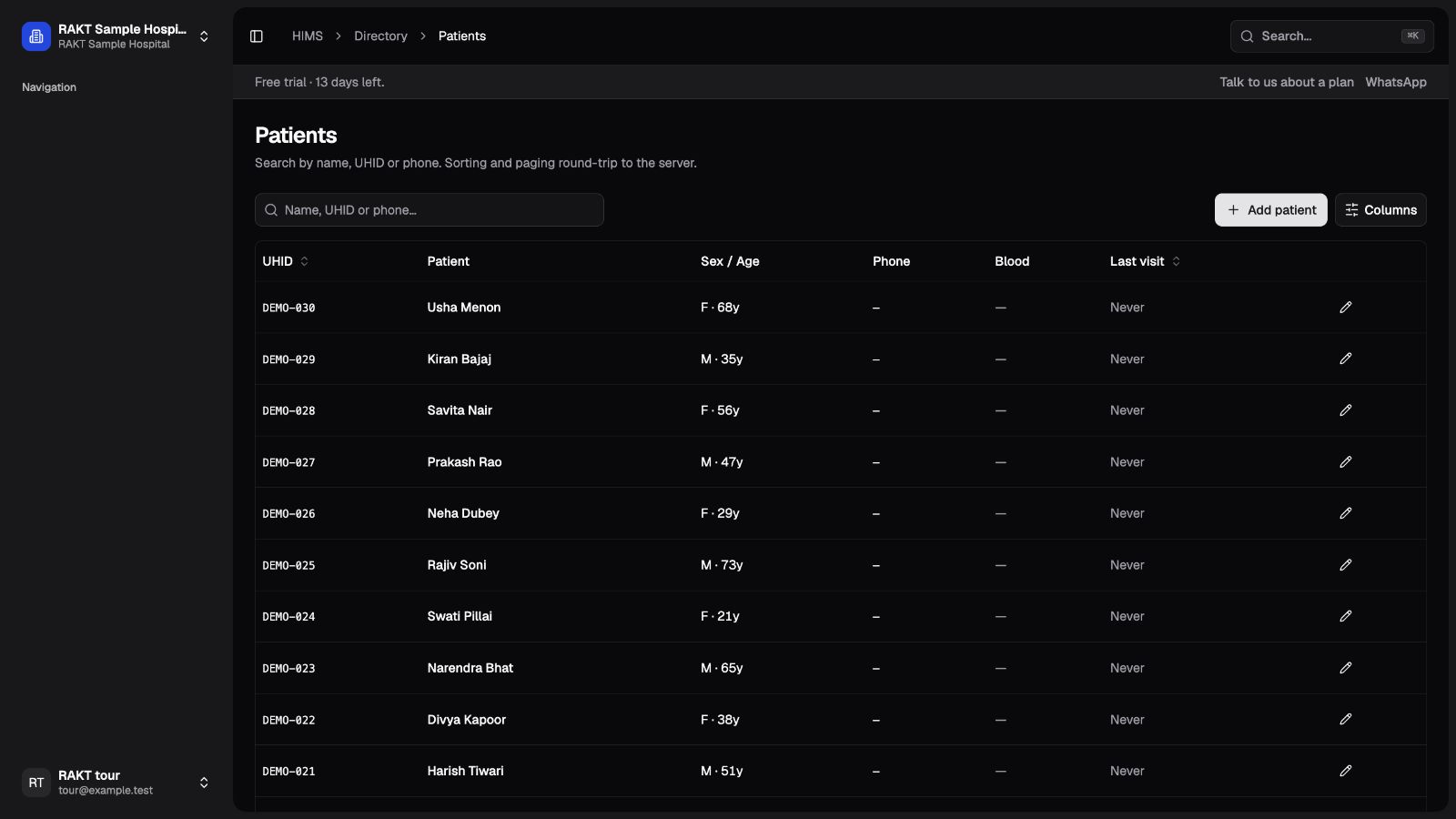
Register once. Find the patient again.
The patient directory gives reception a shared starting point. Find a returning patient by name or UHID before opening a new visit.
TRY THISLook for the DEMO identifiers in the left column.
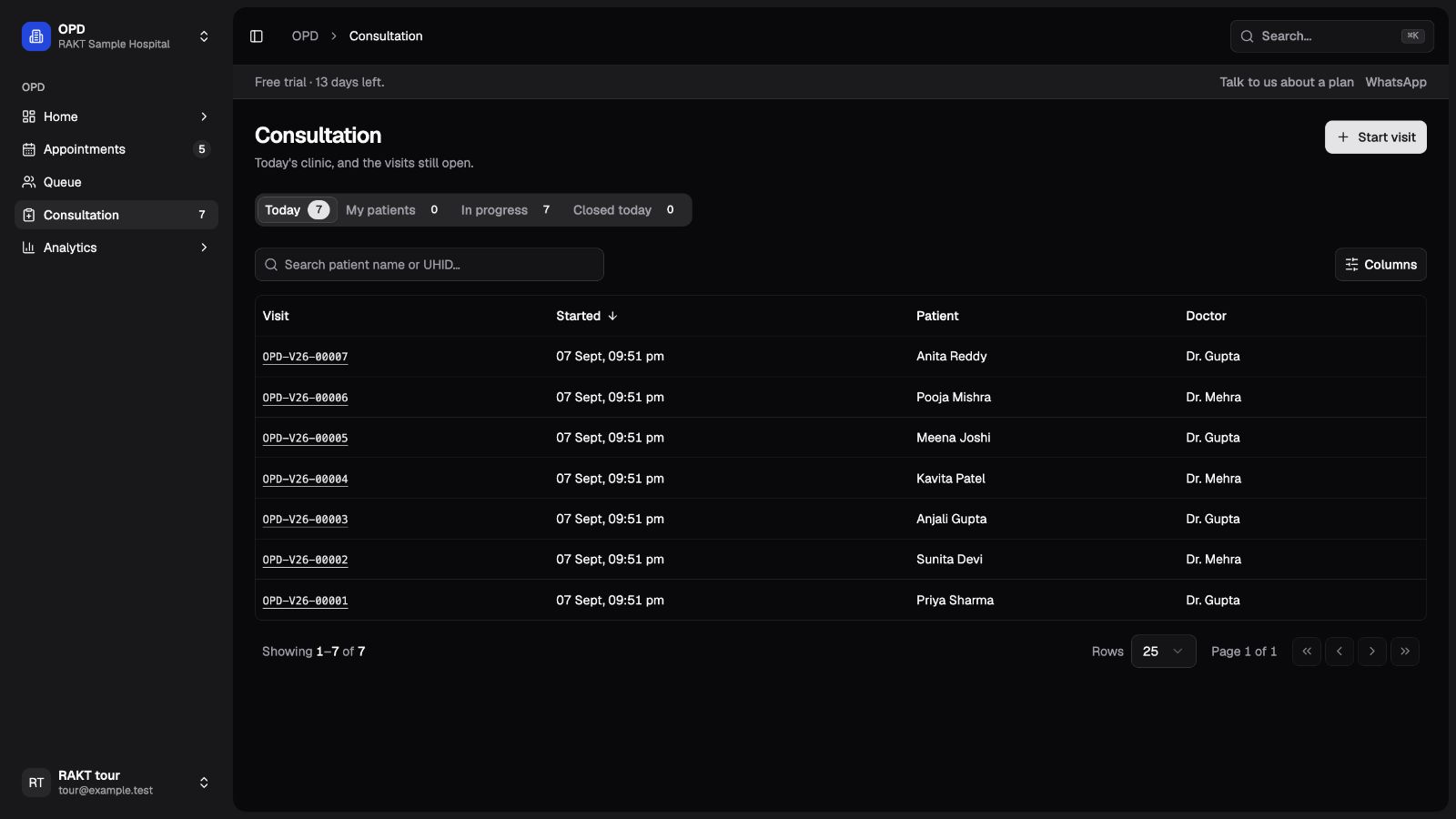
The doctor’s worklist, with a way into the record.
Choose a visit number to open the consultation. Review notes, vitals, medications and billing in the existing visit workspace.
TRY THISSwitch between today’s visits and those still in progress.
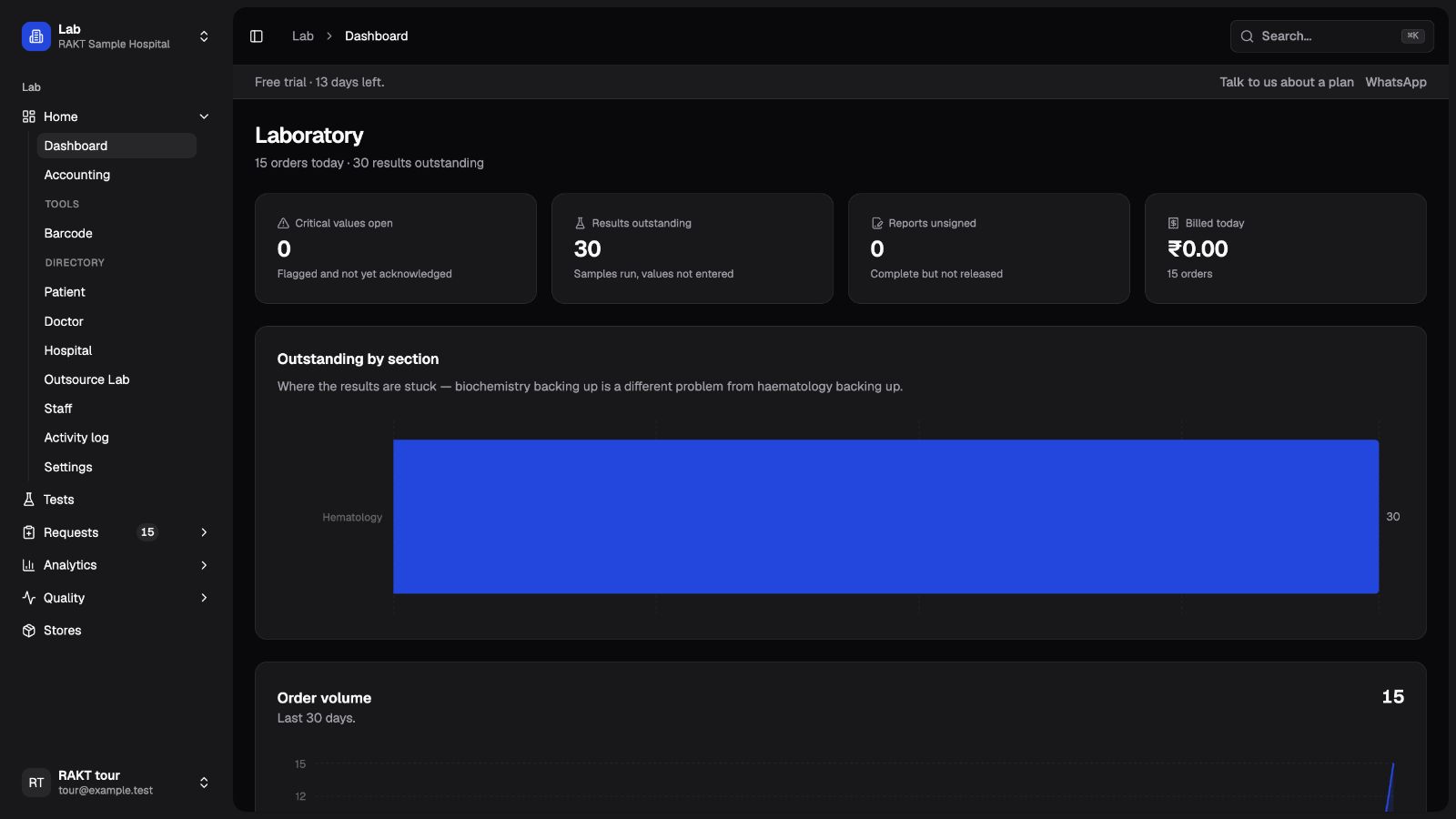
See what is waiting in the lab.
The laboratory dashboard separates outstanding results, unsigned reports and critical values awaiting acknowledgement.
TRY THISCompare the summary counters with the section breakdown.
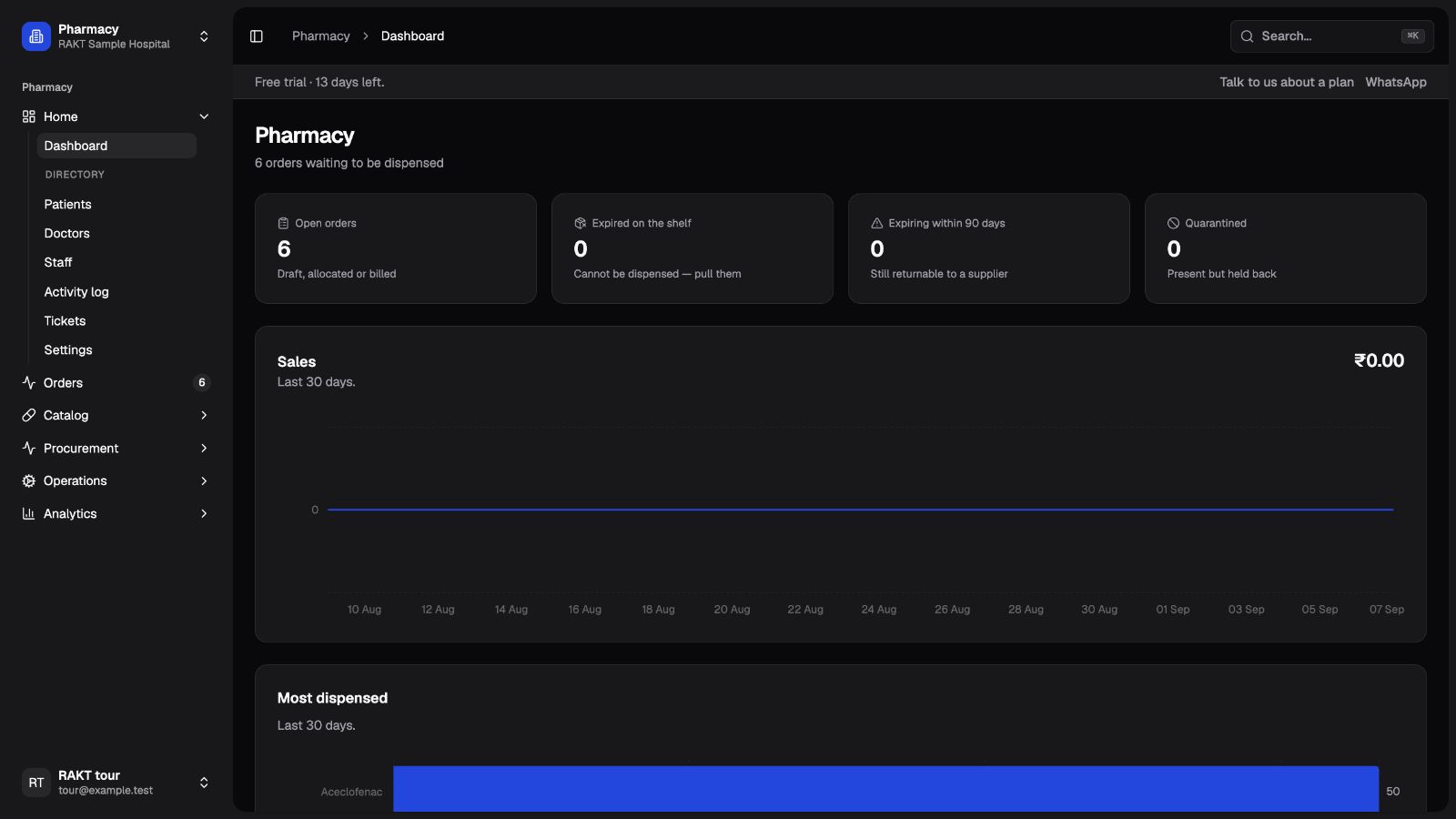
Orders and stock conditions in one view.
Review open orders alongside expired, soon-to-expire and quarantined stock. Open the order and stock screens to inspect the underlying records.
TRY THISDashboard counts are a starting point; inspect batch-level records before dispensing.
Follow charges through to what is owed.
Organisation accounting brings departmental collections and outstanding balances together. Review the date range and ageing bands before comparing totals.
TRY THISIn this sample, seven OPD invoices total ₹3,500, with no payments recorded.
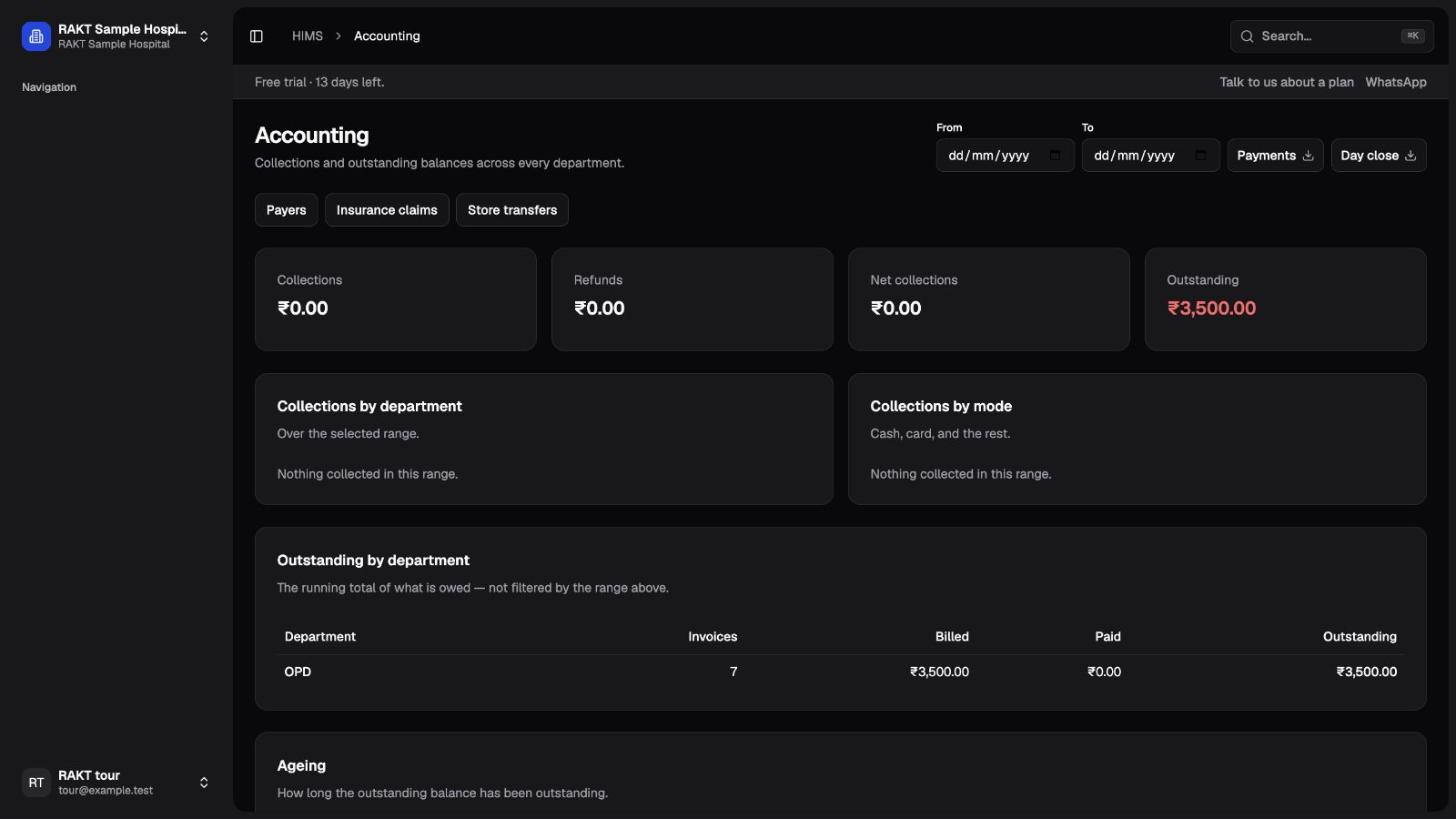
Screens captured from RAKT using fictional data. Click a screen to inspect the full-size image. The website tour is a visual walkthrough; changes to records happen in your own app account.
A 30-second screen walkthrough.
A silent sequence of actual product screens with fictional data. Use the selector above for the explanation of each screen.
Ready to try the workflow?
What you are looking at
These screenshots come from a running RAKT installation populated with fictional patients and staff. They show the product interface, rather than an artist’s impression. Names, dates and amounts are examples.
Use the screen selector to move between departments. Each stop explains a task to try and what to inspect. The examples show individual workflows; they do not claim that every sample order belongs to one completed clinical journey.
Try it in your own account
Create an account, finish the hospital setup, then choose Explore sample data from the first-visit checklist. Load sample records to see working lists and department activity. Your actions are saved in that organisation.
Use an evaluation organisation before entering real patient information. Sample patients carry DEMO identifiers. Sample staff are reference records and cannot sign in using a shared demo password.
Start at Patients, open Consultation in OPD, then explore Laboratory, Pharmacy and Accounting. Your enabled departments determine which screens are available. A department may need its own catalogue, prices or setup before you can create new work.
Look beyond the dashboard
Open a consultation from its visit number. Check the notes and medications, then follow the bill. A populated dashboard is useful context, but completing a task is the more useful test.
Try the system with the people who will use it: someone from reception, a clinician, a lab user and the billing team. Record questions against a specific screen or workflow. Keep patient data out of evaluation messages.
COMMON QUESTIONS
Questions about this topic.
Is this an interactive public patient database?
No. The website tour uses screenshots from fictional data. To change records in the actual app, create an account and load sample data in your evaluation organisation.
Are the reports and numbers customer results?
No. All figures in this tour are fictional examples, not performance claims or customer results.
PLAN A DEMONSTRATION
See how RAKT handles
your team’s work.
Use fictional examples or blank formats. Keep patient information out of an initial enquiry.